Questions? Answers.
The short answers to what people ask most. Still curious? Write to us.
Is Grap free to start?
Yes — start with a 14-day free trial, no credit card required. After the trial it's $8/month or $80/year. There are no limits on how many invoices, quotes, proposals, projects or customers you create.
What documents can I create?
Invoices, quotes, receipts, tax invoices and proposals — all from one editor with their own numbering and prefixes. Documents can be exported to PDF, printed, shared via a public link or sent by email.
Can I customize the look of my documents?
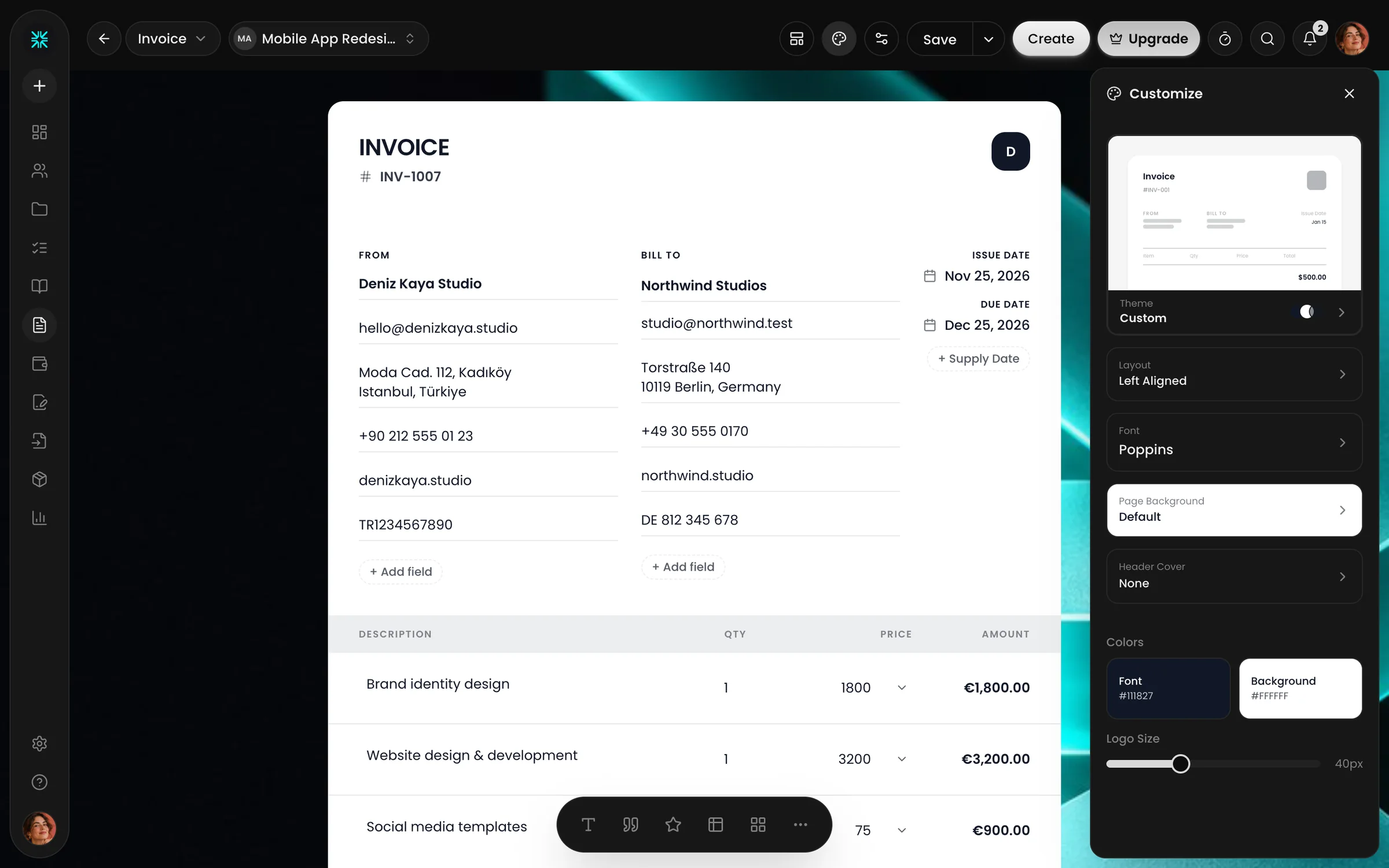
Yes — choose from professional themes, customize colors, fonts and accent styles, add a cover image (with drag & crop positioning) or video background, and use your own logo. Documents support EN, TR, FR, DE and ES output.
Does Grap support online payments?
Yes. Connect your own Stripe, iyzico or PayTR account and clients can pay invoices directly online — a 'Pay now' button is added automatically. Payments go straight to your own account.
Can I track partial payments?
Yes. Log partial payments on any invoice with the amount, date and method. Grap automatically updates the remaining balance, marks the invoice as Partially Paid or Paid, and can generate matching receipts.
Does Grap support recurring and scheduled invoices?
Yes. Set up recurring invoices on daily, weekly, monthly or yearly schedules — Grap clones and sends them automatically. You can also schedule a one-off invoice to be activated and sent at a future date.
Can clients sign proposals and quotes?
Yes. Clients can sign proposals and quotes electronically on the public link — either typed (Allura font) or drawn. Signatures are saved automatically and the document is marked Accepted with a timestamp.
Does Grap support tax, withholding tax and discounts?
Yes. Configure tax rates, percentage or fixed discounts, and withholding tax per document. Defaults can be set in your profile and overridden on individual invoices, quotes or proposals.
Does Grap have project and task management?
Yes. Create projects with budgets and track tasks in list, kanban, calendar, week or timeline view. Each task supports comments, file attachments, additional costs, time tracking and a rich-text description.
How does time tracking work?
Run a built-in timer on any task or log hours manually — only one timer can be active at a time. Set your hourly rate in your profile and Grap calculates task costs automatically and rolls them up into the project Spent total.
Can I create an invoice from a project?
Yes. Start a new invoice from a project and all completed tasks are auto-loaded as line items, pre-filled with tracked hours, quantities and calculated amounts based on your hourly rate.
Can I track expenses?
Yes. Log expenses with categories, vendors and payment methods, attach receipt images, and view spending analytics. Expenses support multiple currencies with custom exchange rates.
Can I save reusable content and payment details?
Yes. Save any document section to My Blocks for one-click reuse, build a product catalog with images and rich descriptions for line items, and create payment detail templates (bank transfer, PayPal, etc.) to insert into any invoice.
Can I share and chat with clients on documents?
Yes. Generate a public link for any invoice, quote, proposal or project. Clients can view it in the browser and send messages through a built-in chat — you'll get notifications for every reply.
Does Grap integrate with Zapier and webhooks?
Yes. Configure webhooks for 27+ event types (invoices, proposals, projects, payments, tasks…) signed with HMAC-SHA256, and connect to thousands of apps via Zapier to automate workflows like Slack alerts or CRM sync.
Does Grap support multiple currencies?
Yes. Set a default currency per profile and override it per document. Expenses support automatic exchange rates and amounts render with the right symbols across all currencies.
Is my data safe and GDPR compliant?
Yes. Data is encrypted in transit and at rest, isolated per organization with Row-Level Security, and fully GDPR compliant. You can export or delete your account and data at any time.
What happens when my trial ends?
Your data stays safe — nothing is deleted. The app switches to read-only until you subscribe: you can still view everything but creating, editing and exporting are disabled until you upgrade.